
last update
2026-April-28
VirJenDB
v1.0

Taxonomy Browser and Search
The Taxonomy Browser (accessible via the Browse page) allows users to explore and search the dataset using a hierarchical taxonomy structure.
Overview
The browser presents taxonomy data in a tree structure, starting from the highest rank:
- Viruses (taxonomy ID: 10239)
Users can navigate through different taxonomy levels and directly perform searches on taxa of interest.
Interface Layout
Main Sections
- Left Panel: Taxonomy Tree (hierarchical navigation)
- Right Panel: Featured virus shortcuts (quick access searches)
Navigating the Taxonomy Tree
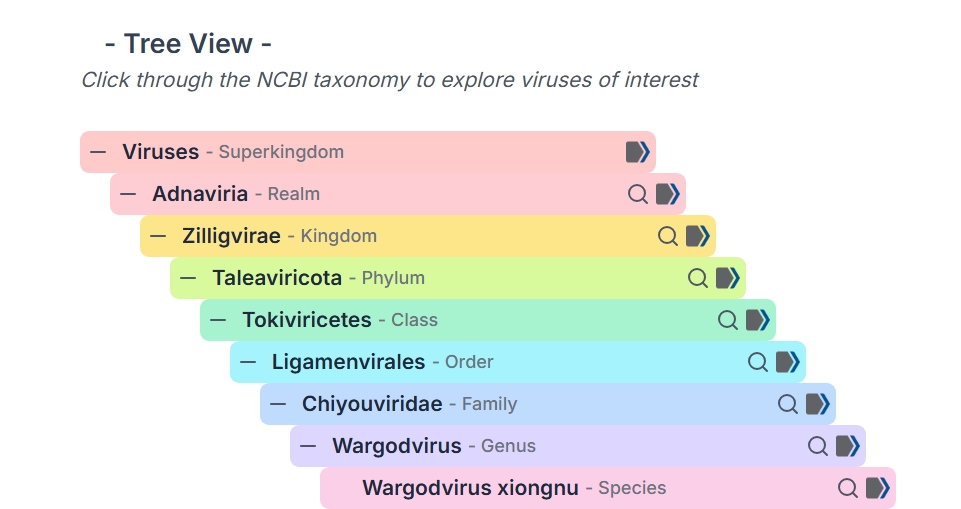
Each taxonomic entry (rank or taxa name) is displayed in a hierarchical list.
Expand / Collapse Nodes
- Click the Plus (+) icon to expand a node and view its child taxa
- Click the Minus (–) icon to collapse the node
- Nodes without children do not display expand/collapse controls
This allows step-by-step exploration of taxonomy levels.
Expanded Taxonomy Tree Example
Searching from the Tree
Each taxa entry includes a Search icon (magnifying glass).
How it works:
- Click the Search icon next to a taxa name
- The Results page opens
- The system automatically performs a search using the selected taxa
Searches are executed using the platform’s Advanced Search.
Limitations
- Only taxa within supported ranks (15 ranks defined in the metadata schema) can be searched
- Taxa labeled as:
- No Rank
- Clade
are not currently searchable
Taxa Shortcuts (Featured Viruses)
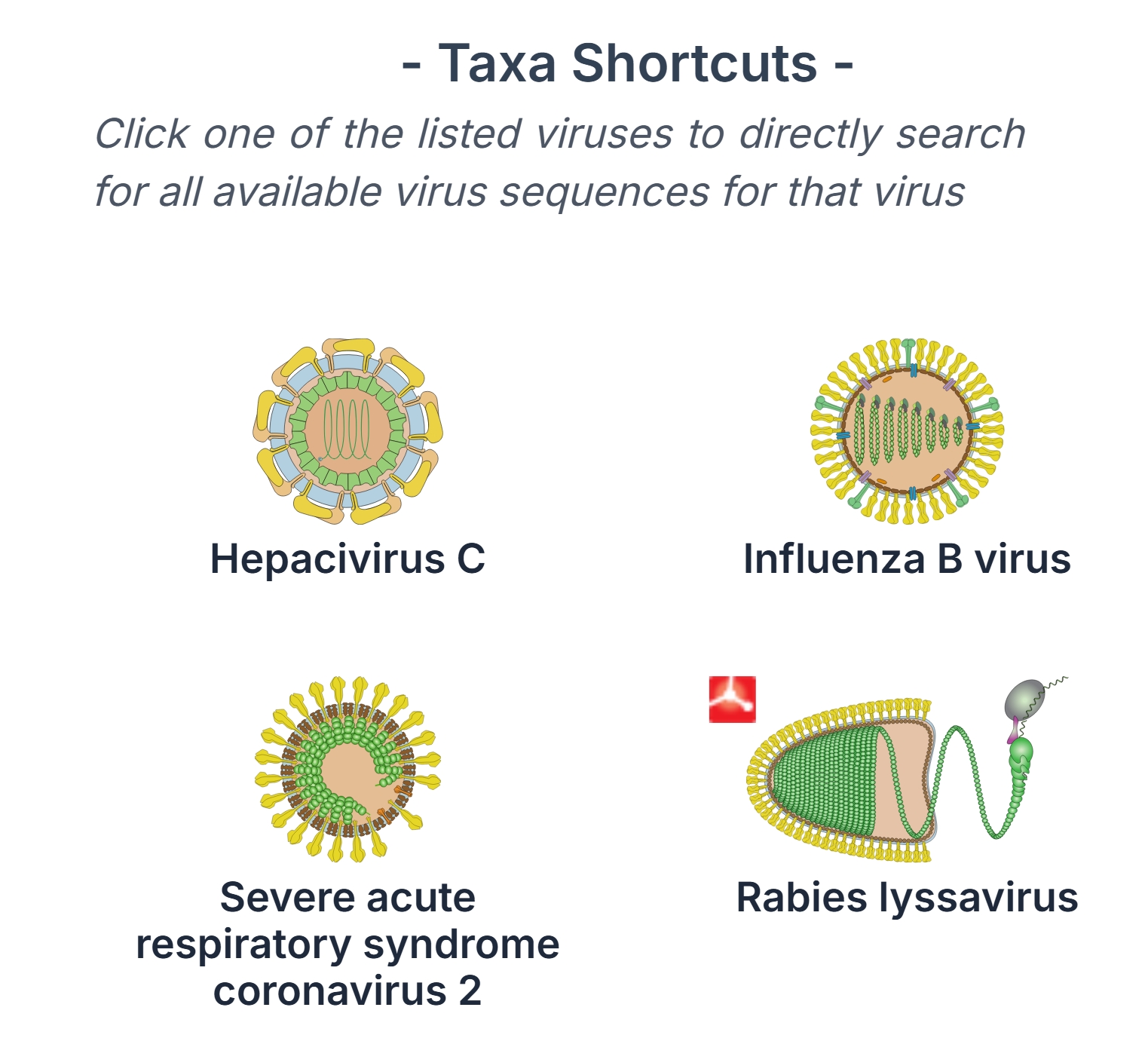
The right panel displays commonly studied viruses for quick access.
External Links
Some taxa include an External link icon (ViralZone).
- Clicking this icon opens an external resource page for that taxa
- These links provide additional biological and structural information
Taxa Shortcuts Panel
Features
Each shortcut includes:
- A structural image
- The virus name
- Optional external link icon
How to use:
- Click on a virus image
- A search is automatically performed
- Results are displayed in the Results Table
Notes and Limitations
- Not all taxonomy nodes will return results
- Data availability depends on the dataset coverage
- Some features (e.g., external links) may not be available for all taxa
Quick Start Guide
- Open the Browse page
- Expand taxonomy nodes using the + icon
- Navigate to a taxa of interest
- Click the Search icon
- View results in the Results Table
Alternatively:
- Use the Taxa Shortcuts on the right for quick searches